Launch 文件
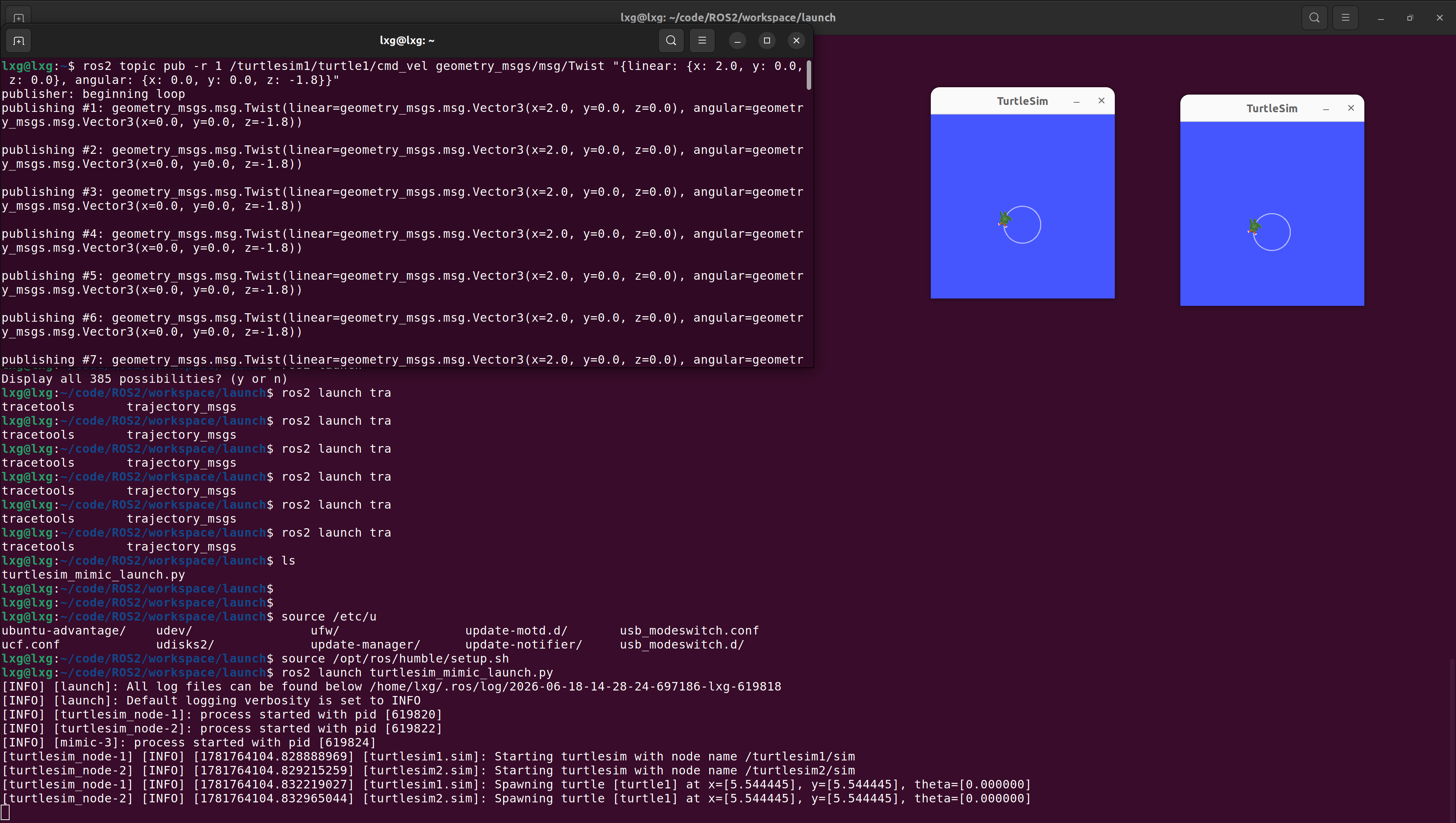
# ROS2 乌龟模仿启动文件
# 该文件启动两个独立的乌龟仿真器,第二个乌龟自动模仿第一个乌龟的运动

from launch import LaunchDescription
from launch_ros.actions import Node

def generate_launch_description():
    """
    生成ROS2启动配置

    启动3个节点:
    1. turtlesim1: 第一个乌龟仿真窗口(主乌龟)
    2. turtlesim2: 第二个乌龟仿真窗口(被控乌龟)
    3. mimic: 模仿节点,使第二个乌龟跟随第一个乌龟
    """
    return LaunchDescription([
        # 第一个乌龟仿真器节点 - 作为主乌龟(可手动控制)
        Node(
            package='turtlesim',           # 所在ROS包名
            namespace='turtlesim1',        # 命名空间,用于隔离话题
            executable='turtlesim_node',   # 可执行文件名
            name='sim'                     # 节点名称
        ),
        # 第二个乌龟仿真器节点 - 作为被控乌龟(自动跟随)
        Node(
            package='turtlesim',           # 所在ROS包名
            namespace='turtlesim2',        # 命名空间,与第一个隔离
            executable='turtlesim_node',   # 可执行文件名
            name='sim'                     # 节点名称
        ),
        # 模仿节点 - 读取第一个乌龟位置,控制第二个乌龟运动
        Node(
            package='turtlesim',           # 所在ROS包名
            executable='mimic',            # 模仿可执行程序
            name='mimic',                  # 节点名称
            remappings=[
                # 话题重映射:将模仿节点的输入与第一个乌龟的位置话题关联
                ('/input/pose', '/turtlesim1/turtle1/pose'),
                # 话题重映射:将模仿节点的输出与第二个乌龟的速度命令话题关联
                ('/output/cmd_vel', '/turtlesim2/turtle1/cmd_vel'),
            ]
        )
    ])
对比安卓系统理解
| Android | ROS2 |
|---|---|
| init.rc | launch.py |
| service | Node |
| property | LaunchArgument |
| import rc | IncludeLaunchDescription |
| system_server | Component Container |
TF2-Transform(坐标变换)
TF2 = ROS2 中的坐标系管理框架-管理多个坐标系之间的关系
0
次点赞